





Automating repetitive tasks is a game-changer for entrepreneurs, marketers, and anyone building apps or managing digital workflows. Zapier offers a no-code way to connect your favorite apps, streamlining everyday processes and helping you focus on what matters most. Whether you want to automate lead capture, manage notifications, or sync data, Zapier makes powering your app workflows simple and efficient.
Understanding Zapier’s Automation Platform
Zapier is a cloud-based automation tool that connects over 6,000 apps, allowing you to automate workflows without any coding experience. It works by creating “Zaps,” which are automated workflows that perform actions in one app based on triggers in another. For example, you can create a Zap that adds new form submissions in Google Forms directly to a spreadsheet or notifies your team on Slack.
Zapier supports various plans, including a Free plan with:
- Unlimited Zaps, Tables, and Forms
- 100 tasks per month
- Two-step Zaps
- AI assistance for workflow creation
- Two-factor authentication
For more advanced needs, their Professional, Team, and Enterprise plans offer multi-step Zaps, premium app integrations, and enhanced team management and security features. You can explore the latest details on the official Zapier pricing page.
Common Use Cases for App Workflows
Zapier’s flexibility makes it suitable for a range of tasks, including:
- Lead Management: Automatically capture leads from a website form and add them to a CRM or email marketing tool.
- Social Media Posting: Schedule and post updates across multiple social platforms by connecting RSS feeds or content calendars.
- Task & Project Automation: Create tasks in project management apps like Trello or Asana when new support tickets arrive.
- Customer Support: Set up alerts or create support tickets automatically when customers submit queries on your website or via email.
- Data Syncing: Keep your data consistent across cloud tools by syncing contacts, files, or inventory updates in real time.
How to Set Up a Zap to Automate a Workflow
Getting started with Zapier is straightforward, even if you’re new to automation:
- 1. Choose Your Trigger App: This is where the workflow starts. For example, a new entry in Google Forms or a new subscriber in Mailchimp.
- 2. Select the Trigger Event: Define what event will kick off the automation, such as “New form response” or “New subscriber added.”
- 3. Connect Your Accounts: Authorize Zapier to access your apps securely to exchange data.
- 4. Set Up the Action App: Choose where you want the result to go, like adding a row in Google Sheets or sending a notification via Slack.
- 5. Configure the Action Event: Define what will happen, such as “Create spreadsheet row” or “Send channel message.”
- 6. Test Your Zap: Ensure the automation runs as expected by testing it with sample data.
- 7. Turn on Your Zap: Activate the automation to save time and keep workflows running smoothly.
Tips for Maximizing Zapier’s Power
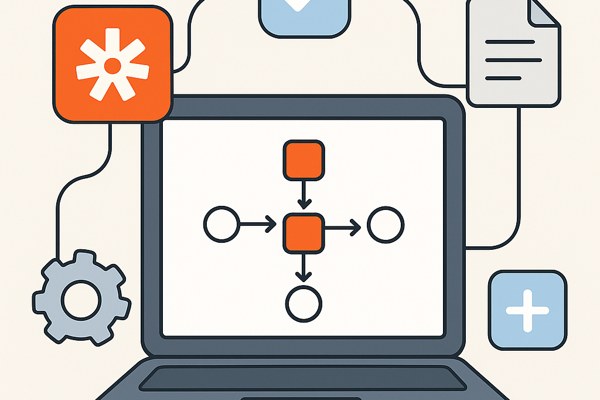
- Organize with Multi-Step Zaps: Combine multiple actions into one Zap, for example, adding a lead to your CRM, sending a welcome email, and notifying your sales team.
- Use Conditional Logic: Zapier’s filters and paths allow workflows to branch based on data conditions, optimizing complex processes.
- Leverage Zapier Tables and Forms: Store and manage structured data within Zapier itself for more advanced automation scenarios.
- Monitor Task Usage: Keep track of your monthly task limits and upgrade or optimize your Zaps accordingly.
- Explore Built-in Apps: Use Zapier’s built-in tools for formatters, delays, and webhook integrations to customize workflows beyond simple app connections.
Checklist for Setting Up Effective Zapier Automations
- Identify repetitive or manual tasks in your workflows.
- Select the apps and data points that need integration.
- Start with simple two-step Zaps before progressing to multi-step automations.
- Test each Zap thoroughly with real or sample data.
- Monitor automation performance and task counts regularly.
- Document your workflows for team knowledge sharing.
Next Steps to Boost Your Productivity
Zapier opens the door to endless automation opportunities, freeing up your time and reducing errors. Start by exploring your daily tasks and identifying which can be automated using Zapier’s free plan. As your needs grow, consider upgrading to plans that unlock multi-step workflows, premium app access, and collaboration features.
For non-developers and founders, getting comfortable with tools like Zapier is key to accelerating growth without additional hiring or complex software development. For more practical guides and tips on app development and marketing strategies, visit TechZog’s Development section.