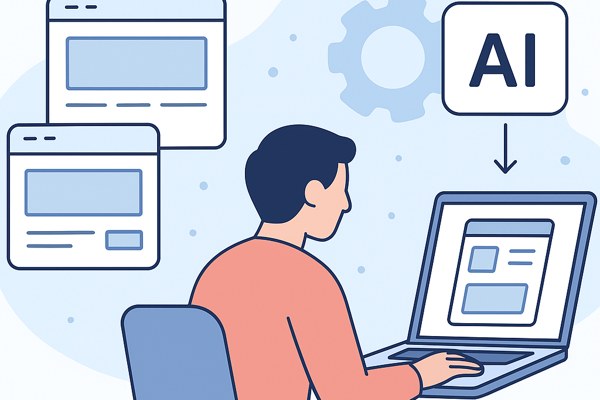




Bringing an app idea to life no longer requires extensive coding skills or a huge team. Thanks to the variety of intelligent tools available today, founders, marketers, and creators can work through each phase of app development smoothly and efficiently. This guide provides a straightforward workflow to help you go from a concept to a functional app that you can market and improve over time.
Start with Clear Problem Definition
Every successful app begins with identifying a specific problem it solves. Before jumping into design or development, clarify who your target users are and what challenges they face.
- Write down the pain points your app addresses.
- Analyze competitor apps to understand gaps in features or user experience.
- Gather user feedback or conduct quick surveys if possible to validate demand.
For example, if you want to build a productivity app for remote teams, your problem statement might be “Improving task tracking and communication without switching multiple tools.” This clear focus will guide your decisions throughout the project.
Outline Features and User Flow
With the problem defined, brainstorm essential features that solve it without overcomplicating the app. Start simple to avoid scope creep.
- Create a list of core functionalities (e.g., task creation, notifications, user roles).
- Map out user journeys: how users will navigate the app from start to finish.
- Prioritize features using a simple matrix: Must-Have, Nice-to-Have, Future Add-ons.
Tools like low-code app builders or visual flowchart platforms help you translate ideas into visual workflows, making the process intuitive even for non-technical users.
Design User Interface Quickly and Effectively
User-friendly design is critical for adoption. Unless you have professional design experience, use ready-made templates and design assistants to stay on track.
- Start with wireframes that illustrate screen layouts and key elements.
- Leverage design tools offering AI-powered components to customize colors, typography, and buttons.
- Test design drafts with potential users or colleagues to get early feedback.
Platforms like Figma or Canva include templates tailored for app UI, which can speed up this phase without sacrificing quality.
Build with Low-Code Platforms
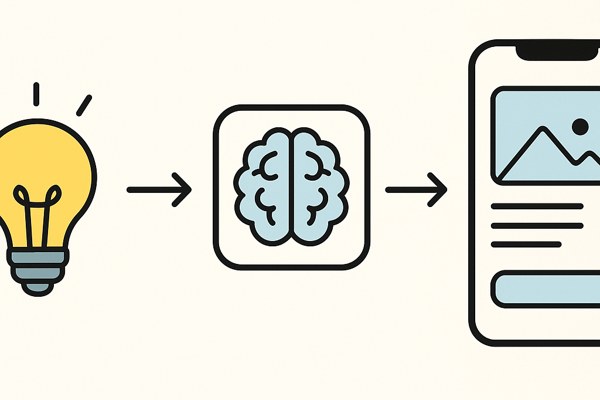
Developing the app backend and frontend is where many beginners get stuck. Fortunately, low-code and no-code platforms simplify development by using visual interfaces and pre-built components.
- Choose a platform that fits your app type—Webflow or Bubble for web apps; Adalo or Glide for mobile apps.
- Drag-and-drop elements to build screens and set up workflows such as user sign-up or data submission.
- Integrate external services like payment gateways, analytics, or email marketing through built-in connectors.
For more technical projects, platforms like Firebase by Google offer backend services that scale with your app as it grows.
Test and Iterate Based on Real Feedback
After building your minimum viable product (MVP), user testing is crucial before launch.
- Invite early users or testers to try the app and provide feedback on usability and functionality.
- Use analytics tools to monitor user behavior and identify drop-off points.
- Iterate on features or fix bugs promptly, focusing on the highest-impact improvements.
Tracking simple metrics like retention or task completion rates can guide you toward meaningful updates.
Essential Checklist Before Launch
- Problem and target user clearly defined
- Core features outlined and prioritized
- Design wireframes reviewed and tested
- App built on a suitable low-code or no-code platform
- Initial user testing completed with actionable feedback
- Analytics and marketing tools integrated
Conclusion and Next Steps
Taking your app from an idea to a real product is easier than ever with smart, user-friendly tools designed to streamline every stage. Focus on solving a clear problem, keep your features minimal but effective, and leverage platforms that reduce the need for traditional coding. Make testing and iteration a regular habit to continuously improve your app’s value.
Ready to dive deeper? Explore more tips and tools on TechZog’s AI Tools section to discover ways to accelerate your app-building journey.