



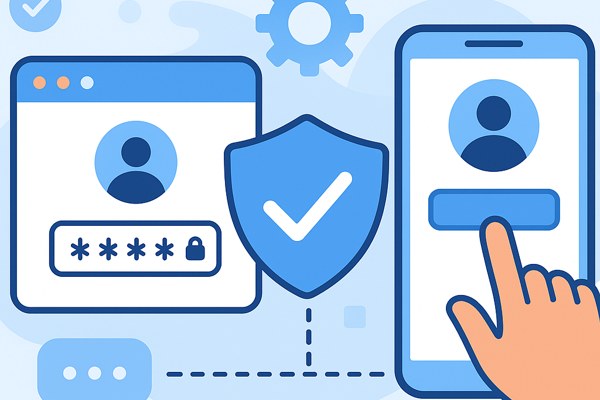
Creating secure user authentication is a critical step in building any app, but it can feel overwhelming if you don’t have a coding background. Fortunately, modern no-code platforms make it easier than ever to implement reliable authentication without writing a single line of code. This guide will walk you through practical, approachable ways to add user sign-up, login, and protection features using popular no-code tools available in 2026.
Why User Authentication Matters
User authentication verifies the identity of people who use your app, ensuring only authorized users get access to protected content or features. It’s essential for:
- Protecting sensitive data
- Personalizing user experiences
- Building trust and credibility
- Complying with security and privacy standards
Even if your app is simple, adding authentication can improve engagement and unlock new business opportunities.
Choosing a No-Code Platform with Built-in Authentication
Several no-code app builders now offer integrated authentication features, so you can focus on your app’s functionality while relying on a secure, tested system for user sign-in and management.
- Adalo: Adalo provides a visual drag-and-drop interface to build mobile and web apps with native user authentication and database management. It supports scaling to over 1 million active users, making it suitable for projects with high growth potential. Learn more about Adalo.
- Softr: Softr offers simple templates and pre-built user permission features. This makes it easy to restrict content and manage roles without complex setup.
- Bubble: Bubble provides a flexible no-code environment where you can create complex logic flows, including sign-up, login, password resets, and user roles.
Pick a platform based on your app’s complexity, expected user base, and design preferences.
Implementing Passwordless and Multi-Factor Authentication
Security trends increasingly favor passwordless and multi-factor authentication (MFA) for improved safety and user convenience. No-code-friendly solutions include:
- Stytch: Offers easy integration of passwordless options like magic links and SMS passcodes through a no-code friendly setup, making authentication seamless for users and secure for your app.
- RedShield’s No Touch MFA: You can add MFA protection to existing web apps without modifying code, enhancing security with minimal effort.
- Google Authenticator: While not no-code itself, you can enable TOTP-based two-step verification for users who want extra security combined with your no-code authentication tools.
Consider implementing MFA to safeguard accounts if your app handles sensitive data or payments.
Easy Steps to Set Up Authentication in Your App
Here’s a practical, no-code approach to integrating authentication:
- Create an account on your preferred no-code platform (Adalo, Softr, or Bubble are great starting points).
- Use the platform’s built-in user authentication component:
- Set up user registration and login screens with drag-and-drop tools.
- Customize user profile fields and permissions based on your needs.
- Choose authentication methods:
- Standard email/password login or
- Passwordless using magic links or SMS passcodes (via Stytch or native platform features)
- Enable security measures such as email verification and two-factor authentication if available.
- Test the full sign-up and login flow from a user’s perspective to catch potential issues.
User Authentication Checklist for No-Code Apps
- Have you selected a no-code platform with native authentication?
- Is your user registration process simple and clear?
- Have you implemented email verification to validate new users?
- Are passwordless or multi-factor options included or planned?
- Is user data stored securely, compliant with relevant regulations?
- Have you tested login, logout, password recovery, and session management?
- Are access permissions configured properly (if your app requires different user roles)?
Next Steps and Resources
Building user authentication without code is no longer a barrier for startups and creators. Start experimenting with platforms like Adalo, Softr, and Bubble to get hands-on experience. Explore additional security options such as passwordless methods or MFA to enhance the user experience and protect your app.
For a deeper dive into secure authentication techniques and options, check out the official Stytch documentation, which offers practical guides on implementing magic links and SMS authentication seamlessly.
With the right tools and approach, user authentication can be an integrated, secure, and scalable part of your no-code app development journey.