


Building digital products no longer requires heavy coding skills, thanks to the rising popularity of visual development platforms. If you’re a founder, marketer, or anyone looking to create or improve apps without deep technical knowledge, chances are you’ve encountered the terms “no-code” and “low-code.” Though often used interchangeably, these approaches serve different purposes and audiences. Understanding their distinctions can help you choose the right approach to bring your idea to life effectively and efficiently.
What Defines No-Code Platforms?
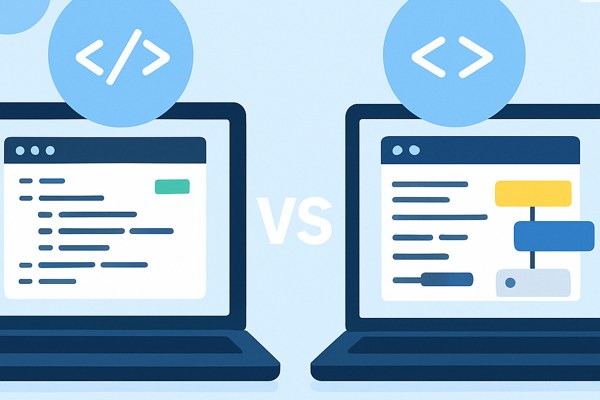
No-code platforms are designed for users with little to no programming experience. They offer a fully visual, drag-and-drop interface where you can assemble apps, websites, or workflows by configuring pre-built components. The main goal is to empower non-technical users to build products without writing any code at all.
Examples: Tools like Bubble, Webflow, and Airtable empower creators to build complex web apps, websites, or databases entirely through visual interfaces.
Ideal use cases:
- Rapid prototyping or MVPs
- Internal tools and dashboards
- Marketing websites or landing pages with dynamic content
- Automated workflows connecting popular apps
How Low-Code Platforms Work
Low-code platforms mix visual building tools with the option to inject custom code when needed. They’re typically aimed at users who have some coding knowledge or access to developer resources. The combination accelerates app development while maintaining flexibility for more advanced customizations.
Examples: Microsoft Power Apps, Mendix, and OutSystems allow teams to create enterprise-grade applications with both point-and-click interfaces and code extensions.
Ideal use cases:
- Complex business applications requiring custom logic
- Solutions needing integration with legacy systems
- Organizations balancing speed with scalability and compliance
- Development teams wanting to prototype fast but retain control
Key Differences at a Glance
| Aspect | No-Code | Low-Code |
|---|---|---|
| User Skill Level | Non-technical users | Technical users or those with coding support |
| Customization | Limited to what the platform offers | Custom coding possible for flexibility |
| Speed | Fast for simple apps | Fast but may require more time for custom features |
| Use Case Complexity | Basic to moderate complexity | Moderate to high complexity |
Choosing Between No-Code and Low-Code
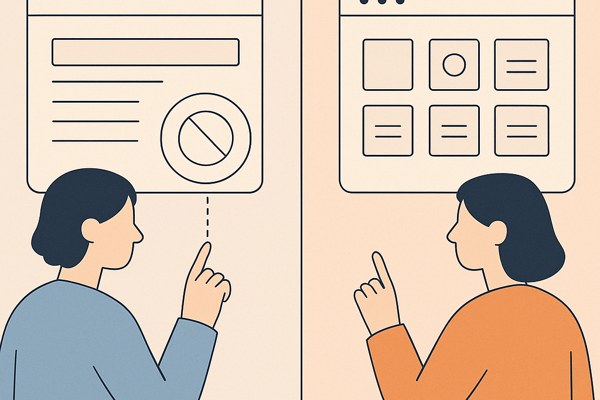
Your decision depends on your project requirements, available skills, and long-term vision. Here are some guiding questions:
- Do you have technical team members or partners who can write code?
- How complex is your app’s functionality and integration needs?
- How fast do you need to launch or iterate?
- What’s your budget for development and maintenance?
For founders or marketers who want quick validation of ideas or straightforward apps, no-code tools are the fastest, most accessible route. For organizations aiming to scale or build feature-rich applications needing custom logic, low-code is often more suitable.
Checklist for Getting Started
- Define your app’s core features and complexity level.
- Assess your or your team’s coding abilities.
- Consider integration requirements with existing tools.
- Set your timeline and budget constraints.
- Experiment with free tiers of popular no-code and low-code platforms.
- Explore tutorials and case studies to understand real-world applications.
Conclusion and Next Steps
Both no-code and low-code platforms are revolutionizing how non-developers and teams create software. By understanding their unique advantages and limitations, you can pick the right tool for your project goals, speed up development, and reduce dependency on specialized coding talent.
If you want to dive deeper into specific platforms and workflows, check out the AI Tools category on Techzog for practical guides and reviews. Additionally, exploring resources like Microsoft Power Platform documentation can give you a thorough understanding of low-code possibilities.
Start by clearly outlining your project needs, then test the platforms that feel like the best fit. With the right approach, building and marketing your app can be both accessible and efficient.