









Building dynamic workflows in your no-code projects can drastically improve your app’s interactivity and productivity. Webflow Logic now enables builders, marketers, and founders with no coding skills to automate complex sequences and enhance user experiences directly within Webflow. This guide will show you how to harness Webflow Logic to create practical, customized workflows that save time and grow your applications effectively.
Understanding Webflow Logic and What It Brings to No-Code Development
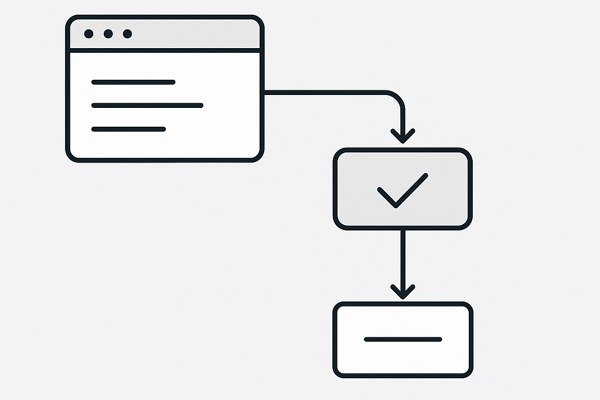
Webflow Logic is a visual workflow automation tool integrated into the Webflow platform. It lets you create “if-this-then-that” style automations without any coding. For example, you can automatically send an email when a form is submitted, update CMS collections based on user interactions, or trigger notifications when specific conditions are met—all visually configured.
This tool fits perfectly for app creators and marketers who want to add dynamic capabilities without relying on developers. Webflow Logic helps to:
- Automate user onboarding and engagement flows
- Update multiple CMS collections automatically
- Connect external services via Webflow’s API for broader integrations
- Save manual effort managing repetitive tasks
Getting Started: Key Concepts to Use Webflow Logic Effectively
Before building workflows, familiarize yourself with these core building blocks of Webflow Logic:
- Triggers: Events that start an automation, such as form submissions, CMS item changes, or API calls.
- Actions: Tasks executed after a trigger, like sending emails, updating collection items, or creating new entries.
- Conditions: Logical rules that decide which actions run based on data values or user inputs.
- Loops: Repeating actions for multiple items or records when needed.
Mastering these components will allow you to design workflows that respond dynamically to your app’s needs.
Practical Workflow Examples for Dynamic App Interactions
Here are a few realistic workflow examples to inspire your projects:
- User Feedback Loop: When a visitor submits feedback through your Webflow form, set a trigger to send a thank-you email and create a new CMS item to log feedback. If feedback contains keywords like “issue,” notify your support team immediately.
- Content Publishing Workflow: Automate content status updates where editors submit drafts and a trigger updates CMS status fields. Once approved, the workflow publishes content automatically and shares a social media update via API integration.
- Event Registration Automation: Capture webinar registrations, add registrants to a mailing list, then send calendar invites or follow-ups based on attendee actions tracked within CMS collections.
Tips for Designing Effective No-Code Workflows
To get the most from Webflow Logic, consider these best practices:
- Start small: Build and test simple automations before layering complexity.
- Use clear naming conventions: Label triggers and actions descriptively to stay organized.
- Leverage CMS Collections: Store dynamic data that logic can reference for condition checks or updates.
- Integrate thoughtfully: Combine Webflow Logic with external tools only where it adds clear value—complex API use may increase costs.
- Monitor usage: Webflow’s pricing includes API calls and bandwidth, so keep an eye on workflow impacts to control expenses.
Checklist: What to Review Before Launching Your Workflows
- ✅ Have you defined all necessary triggers for your intended automation?
- ✅ Are action sequences tested to ensure they behave as expected under different inputs?
- ✅ Are all CMS collections and fields properly set up for data storage and retrieval?
- ✅ Have you set conditions that prevent infinite loops or unwanted action triggers?
- ✅ Did you verify notification steps (e.g., emails) to avoid missing important communications?
- ✅ Are usage and pricing considerations reviewed to avoid surprise costs?
Next Steps: Expand Your Dynamic No-Code Ecosystem
Once you feel comfortable using Webflow Logic, explore extending your no-code workflows further. You might want to:
- Combine Webflow projects with third-party membership platforms following Webflow’s recent shift away from native user accounts (Webflow docs).
- Explore other no-code platforms like Adalo or Bubble if your requirements include complex logic outside Webflow’s scope.
- Review pricing plans carefully as Webflow’s 2026 updated pricing model includes usage-based fees that can affect your budget (Techzog’s pricing overview).
- Regularly update workflows based on user data and feedback to improve your app’s responsiveness and engagement.
Webflow Logic empowers you to build dynamic, efficient workflows without writing code, helping you deliver polished experiences with less time and effort. Visit Techzog’s development section for more practical guides on no-code tools and app building.