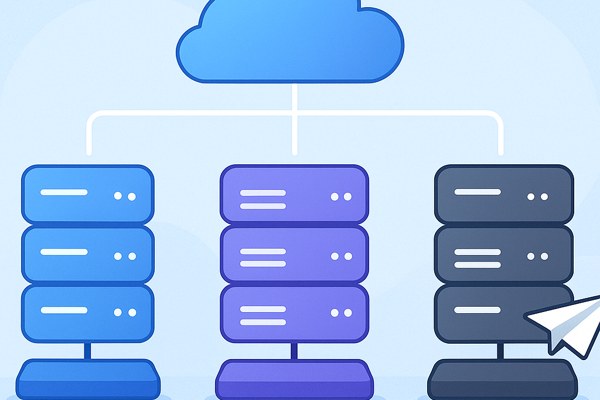









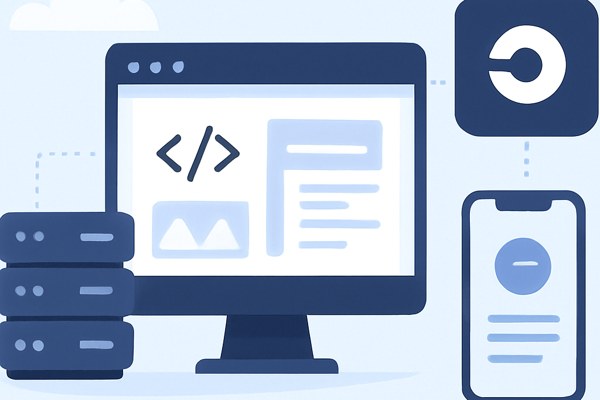
Launching a full-stack application without incurring hosting costs is a game changer for founders, marketers, and builders looking to validate ideas or showcase projects quickly. Railway offers a streamlined platform that makes deploying full-stack apps both simple and free, eliminating much of the complexity so you can focus on building and marketing your app. This guide will walk you through the process of using Railway to deploy your full-stack application, covering everything from setup to going live.
Getting Started with Railway
Railway is a developer-friendly platform that lets you deploy web applications and databases with minimal configuration. One of its biggest advantages is the generous free tier so you can host apps without spending a dime while still accessing powerful features.
- Sign up at railway.app using GitHub for quick integration.
- Create a new project — Railway supports multiple environments, so you can demo different versions if needed.
- Import your code repository or start from a template Railway provides for popular full-stack frameworks such as Next.js, Express.js, or Flask.
Configuring Your Full-Stack App
Before deploying, it’s important to configure your backend and frontend for smooth integration on Railway.
- Backend: Ensure your backend service listens on the port Railway provides through the environment variable (usually
PORT). - Database: Railway offers managed PostgreSQL, MySQL, and Redis instances with free plans. Link your database resource to your app to access connection strings via environment variables.
- Frontend: For apps like React or Next.js, configure API calls to match the backend domain Railway assigns to your deployment.
This seamless environment variable management removes the need for hardcoding sensitive credentials or URLs, crucial for production-ready apps.
Deploying Your App
Deployment on Railway is as simple as pushing your code or connecting your GitHub repository for automated deploys.
- When pushing changes or merging pull requests, Railway automatically builds and deploys your app.
- Customize build commands if you’re using frameworks requiring specific compile steps (like
npm run buildfor Next.js orpython manage.py migratefor Django). - Monitor deployment logs in the Railway dashboard to troubleshoot failures quickly.
You will receive a publicly accessible URL once the deploy succeeds, which you can share or use for further testing.
Adding Environment Variables and Secrets

Managing environment variables securely is vital for any full-stack app. Railway makes it easy to add and update these without touching your source code.
- Go to your project’s settings and find the environment variable section.
- Add your keys such as API tokens, database URLs, or third-party service credentials.
- Railway automatically injects these into your app’s runtime environment.
- If you need to update any secret, Railway updates your running app seamlessly after restart.
Keep your configuration safe and version-controlled separately to avoid exposing credentials publicly.
Checklist for a Successful Launch
- Verify backend is listening on Railway’s assigned port.
- Database is connected and migrations are run as needed.
- Frontend correctly calls backend APIs using Railway URLs.
- Environment variables are set and contain no sensitive information in source code.
- Test the app thoroughly on Railway’s live URL before marketing or sharing.
- Set up custom domains through Railway’s dashboard if needed for branding.
Next Steps After Deployment
Once your full-stack app is live on Railway, focus on increasing visibility and improving performance:
- Integrate analytics tools to track user behavior.
- Join communities or forums to gather feedback and iterate quickly.
- Leverage SEO and marketing strategies tailored for app discovery.
- Refer to additional guides on Techzog’s hosting section for tips on scaling and optimizing your deployment.
Railway’s documentation also offers advanced tutorials on microservices and workflow automation to help you grow.
Conclusion
Deploying a full-stack application for free no longer demands wrestling with complex infrastructure. Railway abstracts hosting details, provides handled databases, and delivers continuous deployment out of the box, allowing you to focus on building products and marketing effectively. By following these steps, you can get your app online quickly and start gathering users’ feedback or driving your first campaigns.
Explore Railway today and see how effortless deploying your next app can be. For deeper insights and hosting strategies tailored to no-coders and marketers, visit Techzog’s hosting category for up-to-date guidance.