










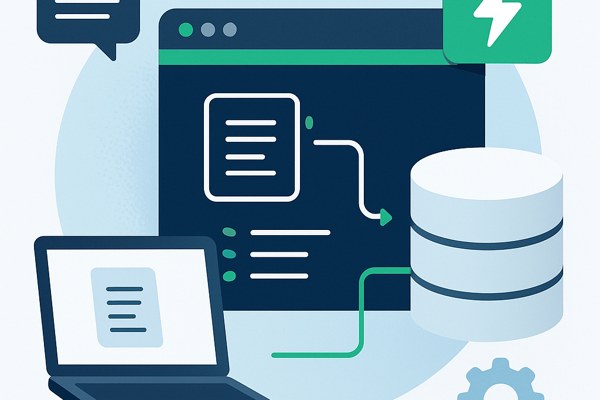
Building applications that deliver relevant and personalized information quickly can significantly boost user engagement and productivity. One effective approach is to combine context-aware document retrieval with dynamic response generation. In this post, you will learn how to create a Retrieval-Augmented Generation (RAG) app using LangChain and Supabase’s vector database, two powerful tools that work seamlessly together to simplify the development of sophisticated search and recommendation features.
Understanding the Core Concepts
A RAG app integrates a fast, accurate retrieval system with a generation component that crafts user-friendly answers or insights based on retrieved data. LangChain is a framework that orchestrates these steps by managing chains of calls for data retrieval and processing. Supabase provides an easy-to-use vector database built on PostgreSQL that stores and queries vector embeddings—numerical representations of documents or text that enable similarity-based searches.
Using Supabase vector storage, documents can be indexed in a way that supports similarity queries, while LangChain simplifies combining these queries with context-aware output generation. Together, they enable powerful, scalable, and cost-effective apps that deliver precise results even from large datasets.
Setting Up Your Environment
Before you start coding, prepare the following:
- Create a Supabase account and project at supabase.com. The free tier is sufficient for prototyping.
- Set up LangChain in your development environment. LangChain supports multiple languages, but Python is a popular choice with excellent community resources.
- Install necessary dependencies for Supabase client libraries and LangChain packages.
- Prepare your data — documents or text snippets you want your app to search and reference.
Indexing Data with Supabase Vector Store
To enable vector searches, your documents must be converted into embedding vectors and stored in Supabase. Here is the general workflow:
- Generate embeddings from your text data using embedding services compatible with LangChain.
- Create a table in Supabase with columns for document ID, original text, metadata, and a vector column for embeddings (supabase uses pgvector extension for this).
- Insert document records along with their embeddings into the vector column.
Supabase’s vector database allows combining traditional SQL filters with vector similarity searches, enabling hybrid and very precise queries tailored to your use case.
Integrating LangChain for Retrieval and Generation

Next, use LangChain to interact with the Supabase vector store and generate tailored responses:
- Define a Retriever in LangChain that queries the Supabase vector table for the top relevant documents based on a user query embedding.
- Chain the Retriever’s output to a generation module that contextualizes or summarizes the retrieved documents.
- Set up handlers to manage user input, and deploy the chain logic within your app’s backend.
This architecture allows you to build features such as FAQ bots, document search assistants, or productivity tools that return both accurate document references and user-friendly summaries.
Practical Tips to Optimize Performance and Cost
- Monitor data size: Supabase offers a free tier with limited storage; keep your dataset well-organized and archived as needed.
- Combine filters: Use relational data filters along with vector similarity to reduce unnecessary vector comparisons, improving query speed.
- Cache frequent results: For common queries, caching generated responses speeds up user experience and reduces API calls.
- Utilize real-time features: Supabase supports real-time updates, enabling your app to reflect data changes immediately.
Checklist for Your RAG App
- Set up Supabase project and enable pgvector extension
- Prepare and embed your document data
- Create and populate vector-enabled tables in Supabase
- Configure LangChain retriever with Supabase vector store
- Implement generation logic to process retrieval results
- Test end-to-end with typical user queries
- Optimize queries with hybrid search and filters
- Plan for scaling and cost management based on user growth
Next Steps and Resources
If you want to deepen your understanding or expand the app’s features, explore these resources:
- TechZog Development Guides – for tips on building and marketing web and mobile apps
- LangChain Documentation – details on available plans and advanced chain configurations
- Supabase Vector Database Docs – comprehensive guide to setup and usage
By following this approach, founders, marketers, and builders can efficiently create high-impact RAG applications without extensive backend expertise. Start small with a prototype to validate your concept, then iterate by adding richer data and refining retrieval logic. The combination of LangChain and Supabase provides a strong foundation to unlock new capabilities in your app’s user experience and productivity.