









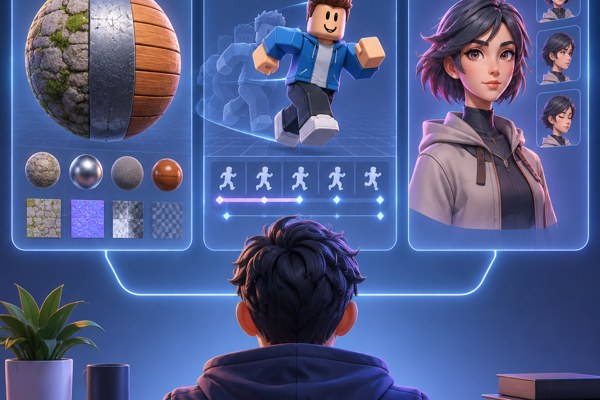
Game development combines creativity and technology, often requiring specialized tools to speed up workflows and elevate the final product. Whether you are a founder developing your first game, a marketer supporting an indie studio, or a builder aiming to improve your project’s visuals and animations, using the right software can make a big difference. This guide highlights three powerful tools that enhance essential aspects of game development: materials, animations, and character art.
Why Improving Materials, Animations, and Character Art Matters
Visual quality and interactivity are key to capturing player interest and delivering immersive experiences. Realistic materials help establish the game world’s look and feel, smooth and natural animations improve player engagement, and compelling character art builds emotional connections. Investing in tools that streamline these elements not only boosts production efficiency but also enhances the player experience significantly.
Key Areas to Focus on in Your Game Development Pipeline
- Creating versatile, tileable textures and PBR (Physically Based Rendering) materials that work across diverse environments.
- Generating seamless and expressive animations to bring characters and objects to life.
- Designing detailed and visually appealing characters that match your game’s style and tone.
3 Essential Tools for Game Developers
3D AI Studio
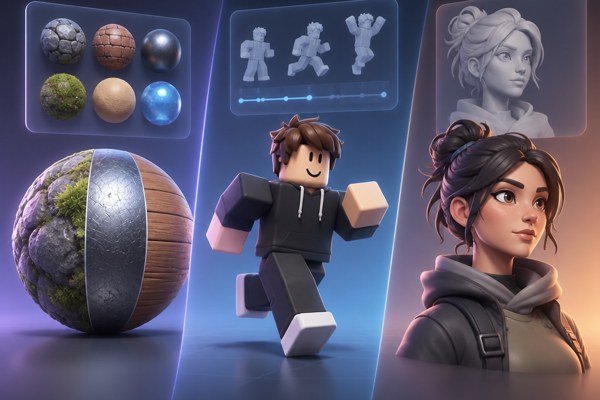
3D AI Studio offers an intuitive platform for generating full PBR material sets, including base color, normal, roughness, metallic, and ambient occlusion maps. It stands out with its UV unwrapping capabilities and ability to create seamless tileable materials, which can save countless hours in texturing workflows. This tool enables developers to retexture existing 3D models efficiently and provides options to customize materials for various game engines.
Roblox Studio AI Features
Roblox Studio integrates AI-powered assistants covering a range of game development needs like material and texture generation, code assistance, and animation support. Its AI-based Material and Texture Generator can quickly create new looks for assets without extensive manual work. With an active community and ongoing updates, Roblox Studio is particularly useful for developers focusing on multiplayer games and platform-specific customization.
Ludo.ai
Ludo.ai excels in producing 2D game assets, especially for character sprites and animations. It supports various art styles and automates the tedious parts of asset creation, such as frame-by-frame animation and tile generation. For studios or founders looking to prototype quickly or enhance their visual content without hiring large art teams, Ludo.ai is a practical and accessible option.
Practical Tips for Integrating These Tools
- Start by identifying which part of your pipeline requires the most time, the visuals, animations, or asset art, and select the tool that best matches that need.
- Leverage 3D AI Studio to unify your PBR materials and create consistent textures that improve both realism and performance.
- Use Roblox Studio’s AI tools to accelerate prototyping and polish in game-specific environments, especially if you target Roblox’s user base.
- Consider Ludo.ai for quick iterations on character art and sprite animations, keeping polish high even with limited resources.
- Test materials and animations early in your engine of choice (Unity, Unreal, Roblox) to catch any compatibility issues.
- Combine assets from these tools with your own creative touches to maintain a unique art style that fits your game’s story and themes.
Simple Checklist to Boost Your Game Development
- Have you evaluated your asset pipeline for speed bottlenecks?
- Are your materials optimized and consistent across environments?
- Do your animations feel smooth and natural to players?
- Is your character art aligned with your game’s narrative and style?
- Have you tested these assets in your target platform’s native tools?
- Are you documenting asset versions and iterations for future updates?
Bringing It All Together
Incorporating these specialized tools into your workflow can dramatically enhance the quality and efficiency of your game development. Tools like 3D AI Studio simplify the creation of professional-grade materials, Roblox Studio’s AI features accelerate platform-specific development, and Ludo.ai helps you rapidly generate striking 2D character assets and animations. Together, these solutions enable you to focus more on game design and player experience, rather than getting bogged down in technical details.
To dive deeper into development best practices, visit our development section for more in-depth guides and resources. For a direct look into material generation technology, explore 3D AI Studio’s official blog.
Next steps: experiment with these tools on a small project, identify your workflow improvements, and gradually integrate them into your full production pipeline. With the right resources, building visually stunning and interactive games can happen faster and with fewer headaches.