









Pair programming remote teams face unique challenges like latency, screen clarity, and seamless control sharing. Finding a tool that delivers smooth real-time collaboration without frustrating delays or limited interaction is essential to productivity. Hopp, an open-source pair programming and screen-sharing app, tackles these issues head-on with sub-100ms latency, 4K resolution support, and interactive features.
Why Low Latency Matters in Remote Pair Programming
Latency is the delay between your actions and what your collaborator sees on their screen. Even small lags can break the flow of a coding session, causing confusion or repeated instructions. Hopp’s standout feature is its ability to keep latency below 100 milliseconds, making it feel almost like working side-by-side on the same machine.
- Faster feedback loops: Immediate visual response speeds up code reviews, debugging, and brainstorming.
- Natural collaboration: Reduced lag prevents out-of-sync typing or missed cursor movements.
- Better team morale: Less frustration means more constructive sessions, sustaining motivation.
High-Resolution Screen Sharing for Precise Code Reviews
In development, details matter. Hopp supports 4K screen sharing, preserving the sharpness of text and UI elements. This clarity is particularly helpful when presenting complex code snippets, reviewing UI designs, or sharing terminal output.
- Clear syntax highlighting visibility without pixelation
- Sharper images during demos or design walkthroughs
- Reduced eye strain for longer coding sessions
Interactive Collaboration Tools to Boost Productivity
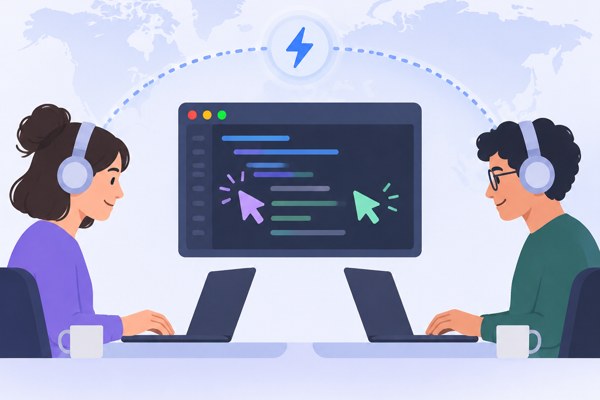
Unlike basic screen-sharing apps, Hopp includes built-in drawing tools and remote control features. These enable both participants to annotate the screen and take control when needed. For example, one developer can highlight a particular block of code or draw attention to a bug, while the other can fix it directly without switching apps.
- Drawing tools: Mark up code, circle errors, or add notes in real time
- Shared control: Pass keyboard and mouse control back and forth seamlessly
- Interactive debugging: Jointly step through code, test, and resolve issues faster
Cross-Platform Support with Privacy and Customization
Hopp runs smoothly on both macOS and Windows, making it accessible for diverse team environments. Moreover, as an open-source project licensed under AGPL-3.0, it offers the unique ability to self-host your pair programming server. This is ideal for teams with strict privacy requirements or those wanting full control over their collaboration infrastructure.
- Support for popular development setups across different operating systems
- Host the application on your own servers for enhanced data security
- Customize the tool’s functionality to fit your team’s workflow using open-source code
Checklist: Getting Started with Hopp for Remote Pair Programming
- Download the latest version (v1.0.33 or newer) for your OS from Hopp’s official GitHub repository
- Install on your machines and configure your team’s remote access settings
- Set up a private server if you require hosting control and data privacy
- Schedule sessions and familiarize your team with drawing and remote control features
- Refer to remote collaboration best practices at TechZog’s development guides to enhance your workflow
Conclusion: Elevate Your Remote Coding Sessions
For non-developer founders, marketers, and builders looking to improve their remote app-building or marketing teams’ productivity, choosing the right pair programming tool can make a major difference. Hopp’s combination of ultra-low latency, high resolution, and interactive collaboration tools supports tightly knit teamwork regardless of location.
Explore Hopp today to experience a more fluid and engaging remote pairing process, or consider hosting your own server for added privacy. With no subscription fees and active ongoing development, it offers a practical, cost-effective solution for remote development teams aiming to work better together.