










Developing iOS apps traditionally requires a Mac environment, which can limit accessibility for non-Mac users or teams seeking flexible, scalable solutions. With the rise of cloud computing and the need for more efficient app development workflows, platforms that provide on-demand macOS environments have become essential. NoMac offers a practical and cost-effective way to build, test, and ship iOS and macOS applications using genuine Apple Silicon hardware hosted in the cloud, accessible from virtually any device.
What Makes NoMac a Game-Changer for iOS Development
NoMac delivers real macOS instances on Apple Silicon machines with Xcode pre-installed. Unlike simulators or emulators that can be slow or inaccurate, these are full-fledged machines that replicate authentic development environments. This means you get the same performance and capabilities you would on local Macs, but with the added convenience of cloud access.
- Instant Access: Spin up a real Mac or an iOS Simulator within seconds without needing Apple hardware.
- Flexible Interfaces: Control instances through CLI, API, SSH, or the Model Context Protocol (MCP) for seamless integration.
- Secure Environments: Each session is isolated and encrypted to ensure data privacy, suitable for handling private projects and codebases.
Two Key Services Tailored to Different Needs
NoMac offers two primary service tiers to fit different development workflows:
- NoMac Session: This is a full cloud Mac session with admin access, letting you do everything you would on a standard macOS device, including installing additional tools and running complex builds.
- NoMac Simulator: A lightweight cloud iOS Simulator environment available almost instantly, perfect for rapid testing and debugging without the overhead of a full macOS instance.
Both options come with persistent encrypted storage to save projects and build caches, enabling incremental builds and faster iterations over time.
Cost and Accessibility Advantages
Many teams hesitate to invest in macOS hardware or scale their infrastructure due to upfront costs. NoMac’s pay-as-you-go pricing removes this barrier:
- A flat rate of $0.80 per hour without subscription commitments.
- Unused credits never expire, allowing flexible budgeting.
- Accessible from Windows and Linux devices, expanding your development potential beyond Apple hardware.
This pricing model makes NoMac an affordable solution for startups, solo founders, marketers automating app marketing workflows, and anyone needing occasional or burst macOS access.
Practical Setup and Workflow Integration
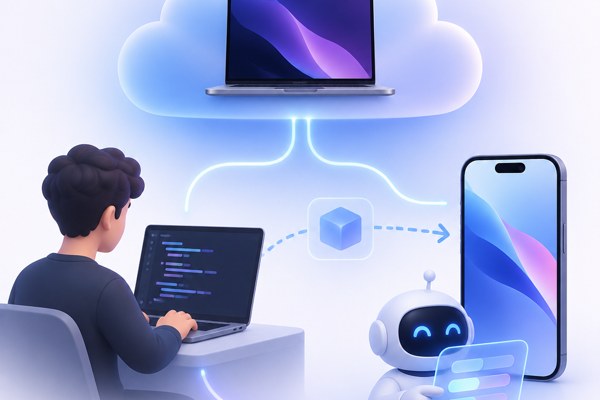
Getting started with NoMac is straightforward:
- Sign up and purchase credits, no complicated contracts or subscriptions needed.
- Choose between launching a full NoMac Session or a lightweight NoMac Simulator depending on your immediate task.
- Connect via SSH or CLI for code upload, build commands, and running tests.
- Use the API to automate build triggers or integrate with CI/CD pipelines.
NoMac’s documentation provides detailed walkthroughs and examples making setup quick even for those new to cloud macOS environments. For marketing teams or makers looking to streamline their app builds without deep developer involvement, this can be a game-changer.
Checklist for Using NoMac Effectively
- Ensure you have your Apple Developer credentials ready for code signing.
- Decide if you require a full macOS system (NoMac Session) or just an iOS simulator (NoMac Simulator).
- Automate builds using NoMac’s CLI or API for continuous integration.
- Store build caches and project files in the persistent encrypted storage to speed up future sessions.
- Test on various iOS versions using the simulator service for broader compatibility checks.
Why NoMac Stands Out and What Next Steps You Should Take
NoMac’s approach to on-demand cloud macOS environments eliminates traditional hardware limitations and expensive setups for building iOS apps. Its support for Apple Silicon Macs means you get authentic performance, while the pricing and accessibility lower the barrier to entry for diverse teams.
Next steps to take if you want to try NoMac:
- Explore their official documentation for setup instructions and feature overview.
- Create a trial session to experience the NoMac Simulator for quick app testing.
- Review how NoMac can integrate into your existing workflows or marketing automation on techzog’s development resource page.
- Compare NoMac to alternatives like Cua or Agyn if scaling for large teams or customization is important.
By leveraging NoMac, founders, marketers, and builders can now build, test, and release iOS applications without hardware constraints, enhancing productivity and innovation potential.