









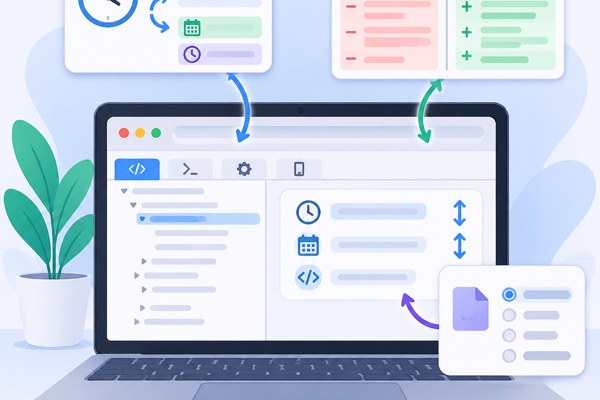
When working on app development, marketing strategies, or productivity improvements, having quick access to essential developer tools can save a lot of time. Whether you need to convert timestamps, check differences between texts, or format data, browser-based tools offer immediate, no-install solutions. One such platform, iLoveDevTool, provides more than 40 free utilities that run directly in your browser, ideal for founders, marketers, and builders without a programming background.
Unlocking the Power of Browser Developer Tools
Many people associate developer tools with complex interfaces meant only for coders. However, modern web tools like iLoveDevTool enable anyone to accomplish useful tasks such as code execution, data conversion, and text comparison, all from a browser without registrations or limits. The platform’s core features emphasize simplicity, privacy, and versatility, making it a perfect companion for non-developers.
- Run and test languages including Python, Java, C++, Go, and PHP instantly.
- Format and validate JSON or convert it to CSV, YAML, Excel, or PHP arrays.
- Utilize text utilities like diff checkers, timestamp converters, and Base64 editors.
Since all processing happens client-side, your data never leaves your machine, maintaining privacy and security.
Working with Timestamps: How to Convert and Interpret Dates
Timestamps are essential when tracking app events, logs, or marketing campaign timings, but raw timestamps can be hard to read or interpret. iLoveDevTool offers timestamp conversion tools that allow you to effortlessly convert between Unix timestamps and human-readable date formats.
- Paste your Unix timestamp or a date string into the tool.
- Select your target time zone or format if options are available.
- Instantly get a readable date or a timestamp suitable for your workflow.
- Use this to audit your app’s back-end event logs or align marketing campaign timings.
This ensures you can communicate dates clearly, and integrate timestamps correctly when planning or debugging.
Comparing Text and Code with Diff Tools
Tracking changes between versions of text or code snippets is an important task for app creators and marketers fine-tuning content. iLoveDevTool’s diff checker highlights differences between two pieces of text to easily identify what was added, removed, or changed.
- Copy-paste original text into the first box and revised text into the second.
- The tool highlights changes side-by-side for clear visual comparison.
- Use it for reviewing marketing copy, debugging code snippets, or comparing JSON files.
- Quickly spot errors or updates without manually scanning lines.
This improves collaboration and quality assurance when multiple stakeholders edit content or code.
Seamless Data Format Conversion for Developers and Marketers
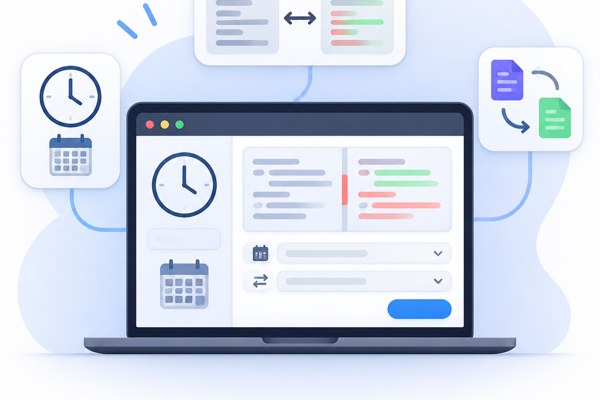
Data often needs to be transformed for use across different platforms or reporting tools. iLoveDevTool supports multiple format conversions, including JSON to CSV, Excel, YAML, and PHP arrays, helping you streamline tasks like exporting user data or preparing reports.
- Upload or paste your JSON data.
- Choose the desired output format for your application or report.
- Download or copy the converted data for immediate use without extra software.
- Validate data formats to catch and fix errors before integration.
These capabilities save time and reduce errors in preparing app datasets or marketing analytics exports.
Quick Checklist for Using iLoveDevTool Effectively
- Access the platform via any modern browser like Chrome, Firefox, Safari, or Edge, no installation needed.
- Use the tools without creating an account and avoid usage limits on the free core plan.
- Leverage dark mode and multi-language support for comfortable extended usage.
- Keep your inputs private as the tool processes data entirely client-side.
- Explore the continuously updated toolset and use new guides for deeper understanding.
Conclusion and Next Steps
Free browser developer tools like iLoveDevTool empower anyone involved in app creation or marketing to perform technical tasks simply and effectively. From converting timestamps to comparing texts or converting data formats, these tools help reduce dependency on complex software and speed up workflows.
To start leveraging these benefits today, visit iLoveDevTool’s homepage and try out the relevant tools directly in your browser. For those looking to deepen their productivity or tech skills, check out related development guides on TechZog for practical tips and insights.
Your next productivity boost is just a few clicks away, no coding required!