




When launching a new app or website, one of the first decisions you’ll face is where to host it. Choosing between cloud providers and traditional web hosts might seem confusing, especially if you’re not a developer. Each option offers different features, pricing models, and scalability options that can impact your project’s success, costs, and future growth. This guide breaks down the key factors to consider, helping founders, marketers, and builders make a practical choice.
Understanding the Basics: Cloud vs. Traditional Hosting
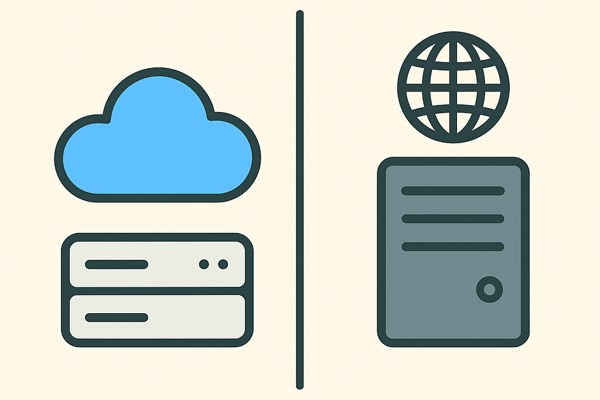
Traditional web hosting typically involves renting server space on a physical or virtual server managed by a company. Popular examples include shared hosting, VPS (Virtual Private Server), or dedicated server plans from providers like Bluehost or HostGator. These are often simpler setups with fixed resources.
Cloud providers, such as Amazon Web Services (AWS), Microsoft Azure, or Google Cloud Platform, offer virtualized resources that can dynamically scale according to your needs. Instead of a static environment, you get access to on-demand computing power, storage, and networking with extensive configuration options.
Scalability and Performance Considerations
One of the biggest advantages of cloud providers is their scalability. If your app experiences sudden traffic spikes, cloud services can automatically allocate more resources, reducing downtime or slow performance. Traditional hosts usually have fixed capacity limits unless you manually upgrade your plan.
- Cloud Providers: Elastic scaling, pay-as-you-go, often global data centers to reduce latency.
- Traditional Hosts: Limited to pre-defined resources, upgrades can involve downtime or complex migration.
For example, a marketing campaign that unexpectedly drives a lot of visitors can benefit from cloud hosting’s flexibility. In contrast, a small business website with relatively consistent traffic might operate well on a reliable traditional host, keeping costs predictable.
Ease of Use and Management
For non-developers and founders, usability matters. Many traditional web hosts provide simple control panels, one-click app installs (like WordPress), and customer support geared towards beginners.
Cloud platforms typically require a steeper learning curve. Setting up servers, configuring databases, and managing networking settings can be complex without technical knowledge. However, managed services within cloud ecosystems—such as AWS Lightsail or Google Cloud Run—offer simpler interfaces tailored for smaller projects.
- Traditional hosts often include built-in security, backups, and email features out-of-the-box.
- Cloud requires more hands-on configuration but provides greater customization and automation potential.
Cost Structure and Budget Impact
Understanding pricing differences is critical for budgeting. Traditional hosts usually charge a fixed monthly or yearly fee based on selected plans. This pricing is predictable but may include paying for unused resources during traffic lulls.
Cloud providers bill based on actual usage—CPU hours, bandwidth, storage, and API calls—sometimes making cost optimization complicated but potentially cheaper if managed well. Unexpected heavy traffic can spike costs without careful monitoring.
- Traditional hosting: Good for fixed budgets and steady workloads.
- Cloud hosting: Best for fluctuating demands but requires monitoring usage to control expenses.
Many cloud providers offer free tiers or trials, which you can explore to estimate real usage costs before committing.
Security and Compliance
Web security is another vital factor. Traditional hosts generally handle server security, firewalls, and compliance as part of their service, simplifying this for users who may not have technical expertise.
Cloud providers provide robust security tools and compliance certifications but often place responsibility on users to configure security groups, permissions, and backups properly. This flexibility allows for higher security standards but requires more involvement.
For projects dealing with sensitive data, cloud providers frequently have certifications such as GDPR, HIPAA, or SOC 2, which can be an advantage for businesses with regulatory requirements.
Quick Checklist for Choosing Hosting
- Do you expect variable traffic or rapid growth? Consider cloud for scalability.
- Are you looking for simplicity and predictable pricing? Traditional hosts can be easier.
- Can you manage more technical setup or will you use managed services?
- Is compliance and advanced security a priority? Cloud might offer better options.
- Do you want easy integration with other tools or services (e.g., APIs, analytics)? Cloud platforms excel here.
- Review budget flexibility: fixed vs. usage-based costs.
Conclusion and Next Steps
Choosing between cloud providers and traditional web hosts depends heavily on your specific needs, technical comfort level, and growth plans. For marketers and founders launching simple sites or apps with steady traffic, traditional hosting offers a reliable, user-friendly solution. For projects with high scale potential, variable workloads, or advanced feature needs, cloud providers provide unmatched flexibility and performance.
Explore beginner-friendly cloud options like AWS Lightsail or check out guides on TechZog’s Development section to learn more about hosting choices and technical workflows that fit your goals.
Finally, experiment with free tiers where possible, and don’t hesitate to consult with technical experts early to avoid costly migration or performance issues down the road.
If you think that you have a link that adds value to this article please contact us at techie[at]techzog[dot]com for evaluation of inclusion into the article.
Comments left solely for spamming links will be deleted. Thank you for understanding.