








In the booming world of SaaS and subscription-based services, integrating a reliable payment solution is crucial. Stripe has become a go-to platform for handling subscription billing, especially for Next.js apps aiming to deliver seamless user experiences paired with robust payment infrastructure. This guide walks you through the practical steps to set up Stripe subscriptions in a Next.js application, helping you turn your ideas into monetized products efficiently.
Understanding Stripe Subscription Essentials
Before diving into code, it’s important to grasp how Stripe’s subscription model works and why it fits well with Next.js apps. Stripe Billing offers a flexible suite of tools to manage recurring payments, handle invoicing, and even usage-based billing. Stripe Checkout provides prebuilt, secure payment pages that simplify the payment flow without exposing sensitive data.
Stripe’s pricing starts with a ‘pay as you go’ model charging 0.7% of your billing volume, ideal if your transaction volume is low or fluctuates unpredictably. For businesses anticipating higher volumes, subscription plans with a fixed monthly fee are available.
The integration will involve several key components:
- Creating and managing subscription products and plans in Stripe’s dashboard
- Implementing Checkout sessions for subscription sign-up
- Handling webhooks to track subscription state changes
- Optionally, enabling the Customer Portal to let users manage their subscriptions
Setting Up Your Next.js Environment
Start by configuring your Next.js app to communicate securely with Stripe’s API. If you’re using Next.js 13 or later, Server Actions offer a modern approach to structuring API routes and improve maintainability.
- Install Stripe’s Node.js SDK: Use
npm install stripein your project directory. - Set API keys securely: Place your Stripe secret key in environment variables (e.g.,
.env.local) to protect sensitive information. - Use API routes or Server Actions: Create backend endpoints for creating Checkout sessions and handling Stripe webhook events.
- Configure CORS and body parsing: Stripe requires raw request bodies to verify webhook signatures, so use Next.js’s native handling carefully.
This setup ensures that payment processing keeps user data safe while keeping your app scalable and organized.
Creating Subscription Checkout Sessions
To allow users to subscribe to your service, you need to create a Stripe Checkout session. This flow lets Stripe handle payment methods, taxes, and authentication compliantly.
- Define products and pricing: Set up subscription plans in Stripe’s dashboard, including recurring billing intervals.
- Implement Checkout Session creation: In your backend API route, create sessions that specify mode as
subscription, reference the price ID, and set success/cancel URLs. - Redirect users: Send users to the Stripe-hosted Checkout page once the session is created.
- Handle post-checkout: Use webhook events like
checkout.session.completedto confirm subscription activation in your app’s database.
This method offloads user payment input to Stripe’s secure environment, saving you PCI compliance headaches while providing a polished checkout experience.
Managing Subscriptions with Webhooks
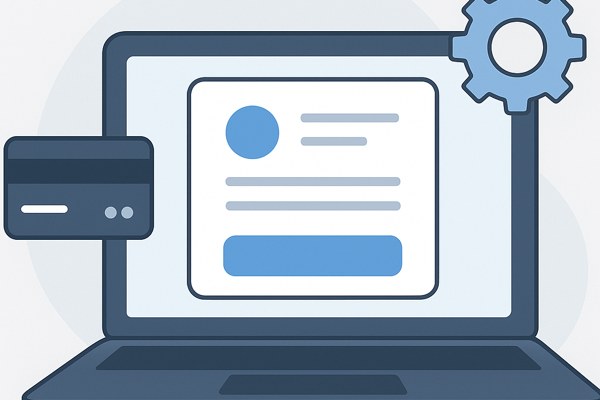
Subscriptions evolve — customers can upgrade, downgrade, cancel, or experience payment failures. Stripe sends real-time webhook events that your Next.js app needs to handle to keep internal records accurate.
- Set up a webhook endpoint: Use Next.js API routes or Server Actions to listen for events like
invoice.payment_succeeded,customer.subscription.deleted, orinvoice.payment_failed. - Validate requests: Verify the Stripe signature using the webhook secret to ensure requests are genuine.
- Update user records: Reflect subscription status changes in your backend or database for authorization and UI updates.
- Notify users: Send emails or notifications about critical events like failed payments or upcoming renewals to enhance customer experience.
Handling webhooks effectively automates subscription lifecycle management and minimizes manual intervention.
Enhancing User Experience with Stripe’s Customer Portal
Letting users manage their subscriptions—upgrading plans, viewing billing history, updating payment methods—can be cumbersome to build from scratch. Stripe’s Customer Portal offers a secure, out-of-the-box solution that integrates smoothly with your Next.js app.
- Enable Customer Portal in Stripe: Configure portal settings in the Stripe dashboard to allow actions like subscription updates and payment method management.
- Create portal sessions in your API: Implement a backend endpoint to generate secure portal session links for logged-in users.
- Redirect users to the portal: Provide a button or link in your app UI for accessing the portal.
This approach cuts down development time, improves billing transparency, and empowers users to self-manage subscriptions.
Essential Checklist for Stripe Subscription Integration
- Set environment variables securely for your Stripe secret key
- Create subscription products and pricing plans in Stripe dashboard
- Implement API routes/Server Actions for creating Checkout sessions
- Configure webhook endpoint to listen and verify Stripe events
- Update internal subscription state and handle user notifications
- Enable and integrate the Stripe Customer Portal for user self-service
- Test the full flow in Stripe’s test mode before going live
Final Thoughts and Next Steps
Integrating Stripe subscriptions into a Next.js app streamlines a critical part of your business—billing and recurring revenue. By leveraging Stripe’s Checkout, Billing features, and Customer Portal, you can focus more on product and user growth while providing a secure and professional payment experience.
Start small with basic subscription checkout, then progressively add webhook handling and portal access to build a full-featured billing system. For a hands-on walkthrough and deeper code examples, consider checking resources like this detailed setup guide. Also, learn more about Stripe’s billing options and pricing on their official Stripe Billing page.
For related tips on building and marketing your apps efficiently, browse our Development category at Techzog, where you’ll find practical guides tailored for founders, marketers, and builders alike.