









Workflow automation platforms have become indispensable tools for founders, marketers, and builders who want to save time, reduce errors, and scale processes efficiently. Among the most popular options in 2026 are Make, Zapier, and n8n — each offering distinct benefits depending on your needs, technical skill, and budget. In this post, we’ll dive into how these platforms compare, helping you make an informed choice that fits your app creation, marketing, or productivity goals.
Core Features and Workflow Complexity
Choosing the right automation platform often starts with understanding the complexity of your workflows and the tools you want to connect.
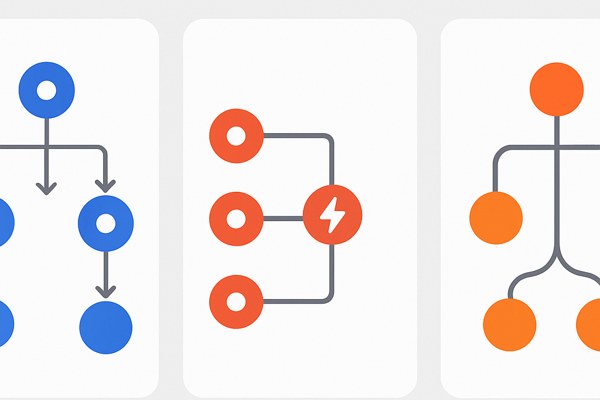
- Make (formerly Integromat) stands out with its visual flowchart builder. It excels at handling complex, multi-step workflows thanks to features like routers, iterators, and aggregators. This makes it a strong choice for teams looking to design intricate automation flows without writing code.
- Zapier offers an unbeatable library of over 7,000 pre-built integrations, spanning marketing, sales, customer support, and more. Its intuitive interface is designed for non-technical users who want to create quick, reliable automations without setup friction.
- n8n is ideal for those who want full control and customization. As a self-hosted, open-source platform, it supports around 1,500 community-maintained nodes. It’s great for builders comfortable with hosting their own infrastructure and willing to code custom solutions when needed.
This variety means Make is suited for visual thinkers with layered workflows, Zapier is perfect for fast deployment with minimal tech knowledge, and n8n targets users who want to tailor their automation stack deeply.
Pricing and Cost Efficiency
Budget considerations are critical, especially when workflows scale with more operations or tasks.
- Make charges per operation, starting at about $10.59 per month for 10,000 operations. This can be cost-effective if your workflows require many steps, especially those involving data parsing or complex logic.
- Zapier charges per task, with plans beginning at $19.99 per month for 750 tasks. Tasks include triggers, actions, and branch points. This model gets pricier as workflows grow more complex because each step counts individually.
- n8n takes a different approach by offering unlimited executions on a fixed-cost VPS starting around $20 monthly. While you handle server costs and maintenance, this model is economical for high-volume or intricate workflows where paying per task or operation would be expensive.
Understanding your typical usage patterns helps determine which pricing model stretches your budget best.
Hosting, Control, and Maintenance
Your comfort with infrastructure management strongly affects platform suitability:
- Zapier is fully cloud-hosted, meaning all infrastructure, security, and API updates are managed automatically. This reduces operational overhead, making it attractive for startups and non-developers.
- Make is also cloud-based, with the platform handling backend management, backups, and scalability. This lets you focus on building workflows without worrying about tech maintenance.
- n8n requires you to self-host. While this offers complete data sovereignty and removes per-execution costs, it demands expertise in server setup, security patching, backups, and updates. For teams with technical capacity, n8n’s flexibility is unmatched, but without that, it can introduce operational risk.
Integration Ecosystem and API Handling
A rich and reliable integration library ensures your automations connect smoothly with essential apps.
- Zapier leads here with 8,000+ integrations covering business systems, marketing tools, and emerging data platforms. Its platform automatically manages API changes and authentication, providing reliable workflow continuity.
- Make offers hundreds of apps with deep customization options, suited for complex data manipulation across multiple apps.
- n8n provides a broad foundation with over 1,500 nodes, but many require manual API setup and ongoing maintenance as APIs evolve. This approach suits users ready to invest in adapting workflows over time.
Checklist for Choosing the Right Platform
- Do you want a no-fuss, ready-to-use integration with minimal setup? Choose Zapier.
- Need a visual tool capable of complex workflows with cost-efficient scaling? Make is your choice.
- Want complete control, unlimited usage, and have technical resources for hosting? n8n fits best.
- How important is ongoing maintenance versus convenience? Plug and play (Zapier/Make) or self-hosted management (n8n).
- Will your workflows frequently adapt to API changes? Zapier’s automatic handling eases this pain point.
Conclusion and Next Steps
Make, Zapier, and n8n each provide unique advantages on the automation spectrum. Zapier offers vast integrations and simplicity, Make balances visual complexity with affordable operations, and n8n adds unbeatable control for those who can host and maintain their own environment. For founders and marketers aiming at app marketing or productivity gains, reflect on your team’s technical comfort, workflow complexity, and cost priorities before committing.
To explore practical examples and workflows with these platforms, check out our detailed guides on TechZog’s development category. For up-to-date integration options and user guides, visit Zapier’s official app directory.