








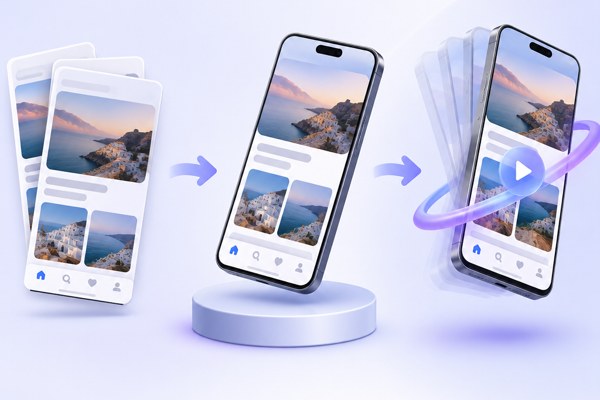
Creating eye-catching visuals for your app or website can significantly boost engagement and conversion rates. But producing high-quality mockups and animations often requires specialized design skills and software. Fortunately, tools like Ultramock make it simple for non-developers, founders, marketers, and app builders to turn flat screenshots into dynamic 3D mockups and motion visuals with minimal effort.
Why Use 3D Mockups and Motion for Your App
Static screenshots are essential for showcasing app functionality, but they can lack the visual impact needed to captivate users and investors. Moving to 3D mockups and animated presentations offers several advantages:
- Improved storytelling: Animations can guide viewers through key features, flows, or interactions in a clearer way.
- Greater professionalism: Polished mockups build trust by showing your app as a real, tangible product.
- Enhanced marketing: Animated visuals grab attention on social media, landing pages, and pitch decks.
- Better presentations: Investors, clients, or team members get a fuller picture of the app’s potential.
These benefits make investing a little time in turning your screenshots into 3D motion mockups worth it, especially when you leverage specialized tools.
Getting Started with Ultramock
Ultramock is a browser-based creative platform designed to easily convert app, website, and SaaS screenshots into stunning 3D mockups with animated scenes. No installation or design training required.
Here is a typical workflow to get started:
- Capture or upload: Import screenshots or images of your app interface directly into Ultramock.
- Compose the scene: Choose from detailed 3D device frames (phones, tablets, laptops) and position your screenshot within.
- Adjust perspective: Use camera controls to change angles, zoom, and depth of field for cinematic effects.
- Style lighting and effects: Enhance realism with custom lighting positions, bloom, grain, and focus adjustments.
- Animate with timeline: Add motion by animating camera paths, device rotation, or scene elements over time.
- Export output: Save your project as high-quality images or videos ready for social channels, websites, or presentations.
Ultramock’s intuitive editor enables you to preview changes in real time, helping businesses create professional visuals quickly without needing external designers.
Features to Take Advantage Of
Ultramock offers a variety of practical features to elevate your mockup presentations:
- Multiple Device Support: Showcase your app on phones, tablets, watches, and desktops all in one scene for versatile demonstrations.
- Advanced Camera Controls: Fine-tune angles, zoom, and positioning with smooth controls to highlight your app from different perspectives.
- Lighting and Visual Effects: Simulate studio-quality lighting environments including shadows and reflections to create depth and realism.
- Animation Timeline: Precisely time rotations, camera movements, and other changes to create engaging short motion clips.
- Transparent Backgrounds: Export without background clutter, enabling seamless integration with other marketing assets or websites.
- AI Integration: While not necessary, Ultramock supports controlling scenes programmatically for power users seeking automation.
With a free plan available, users can experiment with all core features before upgrading for higher resolutions and unlimited exports.
Practical Tips for Making the Most of Your Mockups
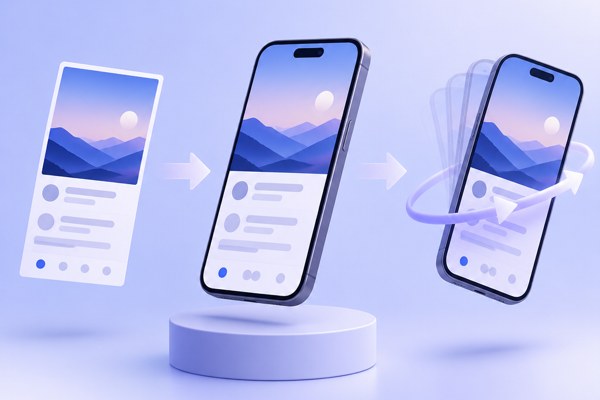
To ensure your 3D mockups and animations yield impact, consider these strategies:
- Keep focus clear: Use depth of field and lighting to draw attention to the most crucial app elements in each shot.
- Leverage motion selectively: Subtle rotations or zooms often work better than overwhelming fast moves.
- Combine multiple devices: Display your app’s responsiveness by showing different screen sizes side-by-side.
- Use branding colors: Tailor lighting effects or background settings to align with your brand identity.
- Preview frequently: Constantly check exported previews on different devices to make sure the mockup looks great everywhere.
- Integrate into marketing: Embed videos or export stills for your app store pages, social media posts, and product landing pages for cohesive presentations.
Quick Checklist for Your 3D Mockup Projects
- Collect high-resolution screenshots of the app or website screens you want to showcase.
- Choose Ultramock’s device frames matching your target platforms (iOS, Android, web).
- Arrange scenes using camera angles and lighting to highlight key UI areas.
- Apply animations with smooth camera moves or device rotations to demonstrate interaction flow.
- Export your final visuals as video clips or images for multiple use cases.
- Review and iterate based on feedback from teammates or users before final publication.
Final Thoughts and Next Steps
Turning flat app screenshots into polished 3D mockups and animated scenes can significantly elevate your marketing and presentation efforts without extensive design resources. Ultramock offers a balanced mix of creative control and ease of use, making it ideal for founders, marketers, and app creators looking to boost their product’s visual appeal.
Start by experimenting with Ultramock’s free tier to familiarize yourself with its powerful editor, then consider upgrading for unlimited exports and higher quality. For further insights on app development and marketing techniques, explore more guides available at TechZog Development.
For detailed tutorials and to access Ultramock directly, visit the official website at ultramock.io. Your next engaging app mockup could be just a few clicks away.