









Managing feature rollouts effectively is critical for any app development and growth strategy. Feature flags enable you to release new functionalities gradually, test different variations, and control user experience without requiring constant code deployments. PostHog offers a robust feature flag system designed to help non-developers, founders, and marketers take control of feature releases and improve app productivity. In this guide, we’ll walk through how to set up and leverage PostHog’s feature flag system in your app.
Understanding Feature Flags and Why They Matter
A feature flag (also known as a feature toggle) is a way to separate code deployment from feature rollout. Instead of launching a new feature to all users at once, feature flags let you control who sees it, when, and how. This leads to safer rollouts, more targeted marketing campaigns, and faster iteration cycles.
PostHog’s feature flag system supports various flag types, including boolean flags for simple on/off control, multivariate flags for A/B experiments, and remote config flags that deliver configuration values to your app dynamically. This versatility makes it a great choice for teams looking to grow their app with greater agility.
Getting Started with PostHog Feature Flags
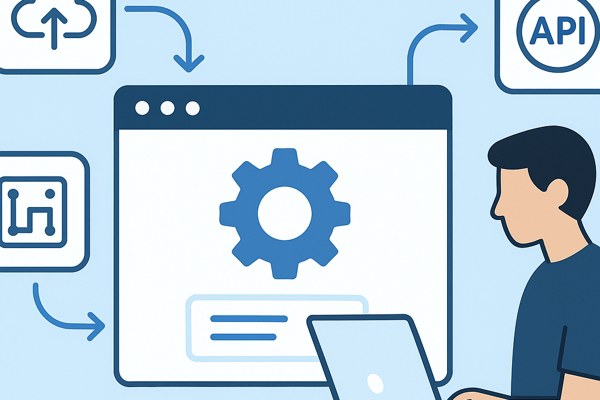
To begin, you need to integrate PostHog into your app. PostHog provides SDKs for web, mobile, and backend environments, making integration straightforward even if you’re not a developer.
- Create a PostHog account and set up your project.
- Install the relevant SDK for your platform (JavaScript, iOS, Android, etc.).
- Initialize PostHog in your app using your project API key.
- Start sending user events and properties to track behaviors.
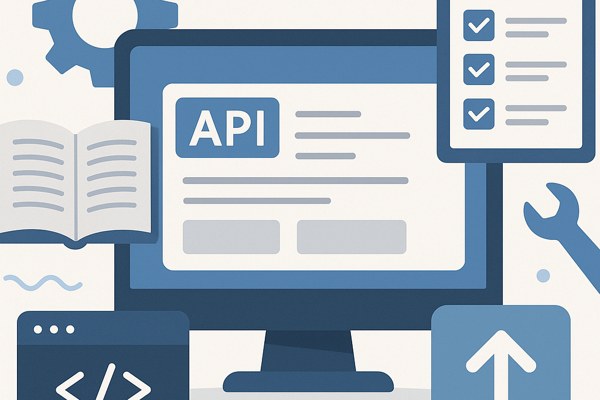
Once your app is sending data, you can create your first feature flag via the PostHog web app or using their CLI and API tools.
Creating and Managing Feature Flags
Within PostHog, feature flags are managed through an intuitive interface:
- Define the flag type: Choose boolean for on/off control or multivariate for A/B testing scenarios.
- Set user targeting rules: Use user properties, cohorts, or groups to precisely control who sees the feature.
- Percentage rollout: Gradually expose features to a defined percentage of users to mitigate risks of unexpected bugs.
- Remote config flags: Deliver JSON configuration values to your app, allowing more dynamic customization beyond simple toggles.
For example, a marketing team could target a new premium feature only to users in a specific cohort who have shown interest, while developers monitor stability before wider release.
Integrating Feature Flags into Your App Workflow

In your application code, feature flags work by checking the flag status through PostHog SDK methods. For instance, you might wrap the new feature UI behind a feature flag check:
- Call the client SDK to retrieve the current user’s flag status upon app load.
- Render the new component or execute new logic only if the flag returns true or the designated variant.
- Fallback gracefully in case of SDK errors or if the flag is off.
This method helps non-technical team members manage feature visibility through the PostHog interface without code changes or re-deploys.
Best Practices to Maximize Feature Flag Impact
- Keep flags short-lived: Remove or clean up flags after full rollout or retirement to avoid code complexity.
- Use percentage rollouts: Start small and ramp up exposure based on performance and feedback.
- Combine with analytics: Leverage PostHog’s event analytics to measure how features affect user behavior.
- Ensure team collaboration: Align marketing, product, and development teams to define targeting and rollout strategies.
- Test flag changes: Use PostHog’s staging environments or sandbox projects before applying flags to production.
Quick Setup Checklist
- Sign up for PostHog and create your project
- Install and configure the PostHog SDK in your app
- Create your first feature flag via the PostHog web app
- Define targeting rules and rollout percentages
- Implement flag checks in your code to control features
- Monitor flag performance through PostHog analytics
- Clean flags once features are fully released
Next Steps and Learning Resources
PostHog’s feature flag system offers an accessible and scalable way for teams building apps to manage feature releases efficiently. For a deeper dive into integration techniques and management options, explore the official PostHog documentation on creating and using feature flags.
If you are interested in exploring other open-source feature flag platforms that can complement PostHog or suit different needs, consider checking tools such as Unleash, Flagsmith, or GrowthBook, each with unique strengths in user targeting, UI, and experimentation capabilities.
For marketers and founders focused on promoting new app features, incorporating feature flags into your launch strategy can reduce risks and improve user adoption metrics. Learn more about building and marketing apps effectively on Techzog’s Development section, where we cover practical guides and actionable insights tailored for non-developers and app creators.