








Building a SaaS (Software as a Service) application once required a team of experienced developers and months of coding. Today, with the growing maturity of no-code platforms, founders, marketers, and business builders can create fully functional SaaS apps without writing a single line of code. This guide walks you through how to build a complete SaaS app using no-code tools, from design to deployment, helping you bring your app idea to life quickly and efficiently.
Choosing the Right No-Code Platform
The foundation of your no-code SaaS app is the platform you select. Each platform has unique strengths, so the right choice depends on your app’s complexity, design needs, and features.
- Bubble: Best for building complex web applications featuring both front-end and back-end workflows, user authentication, database management, and API integrations all within one environment. Bubble’s visual programming interface provides great flexibility for SaaS products targeting web users. (Learn more about Bubble)
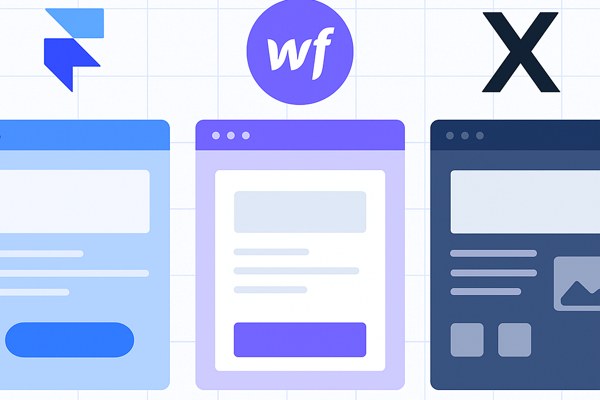
- Webflow: Ideal if your app requires a design-first approach, focusing on responsive, visually stunning interfaces. While Webflow mainly targets websites, you can integrate it with other no-code tools to add backend and database features.
- Glide: Great for apps driven by data stored in Google Sheets, primarily mobile-focused. It accelerates mobile SaaS apps without deep development knowledge but is less flexible for highly customized workflows.
- Hostinger Horizons and Vercel v0: These platforms excel at quick, AI-powered web app creation and deployment using natural language instructions, suitable for rapid prototyping or simple SaaS ideas.
- Creatio CRM: Best suited for businesses requiring advanced workflow automation and CRM-like features on a no-code platform.
Tip: Begin by defining your app’s core features to choose the platform that naturally supports your vision.
Designing Your SaaS App’s User Interface
A great user interface (UI) is essential for user engagement and retention. No-code platforms typically provide drag-and-drop visual editors that simplify UI design.
- Use templates and components: Most platforms, such as Bubble and Webflow, offer pre-built UI elements to speed up the design process and maintain professional aesthetics.
- Focus on responsive design: Make sure your app works well on desktops, tablets, and smartphones. This is critical for SaaS apps targeting broad audiences.
- Keep UX simple: Prioritize easy navigation, clear calls to action, and minimal clutter to enhance usability.
- Prototype early: Use the platform’s preview or test mode to iterate on user flows before adding complex functionality.
Building Backend Logic and Data Management
The backend powers your app’s functionality. Without coding, you rely on no-code tools’ visual logic builders and built-in databases.
- Set up your database: Define your data structures, including users, subscriptions, transactions, and any SaaS-specific entities directly within platforms like Bubble.
- Add workflows for app logic: Use drag-and-drop workflow editors to create actions based on user interactions, such as sign-up, payment processing, or data updates.
- Integrate APIs when needed: Extend your SaaS with third-party services (like payment gateways, analytics, or messaging) through built-in API connectors or plugins.
- Implement user authentication: Secure your app by setting up login/signup flows with email/password or OAuth providers. Bubble and Creatio CRM offer straightforward user auth features.
Managing Payments and Subscription Models
Turning your SaaS into a revenue-generating product means handling payments and subscriptions effectively.
- Use payment integration plugins: Platforms like Bubble support Stripe and PayPal plugins that you can set up without coding.
- Define subscription tiers: Organize your pricing plans within the platform’s database and control access or feature restrictions through condition-based workflows.
- Automate billing and notifications: Configure workflows to send payment reminders, invoices, or renewal alerts to users.
- Test payment flows: Make sure subscriptions renew correctly and users receive prompt communication.
Launching and Growing Your SaaS App
After building your app, it’s time to launch and attract your first users:
- Deploy your app: Most no-code platforms provide hosting and easy publishing options, so you can launch with one click.
- Optimize SEO and performance: Use built-in SEO tools (available in Webflow or Bubble) and monitor load speeds to ensure a good user experience.
- Track user behavior: Integrate analytics tools like Google Analytics or Mixpanel through APIs to gather insights on usage patterns.
- Market your app: Leverage content marketing, social media, and email campaigns to grow your user base—explore [TechZog’s marketing resources](https://techzog.com/category/marketing) for actionable tips.
- Iterate based on feedback: Use customer input to prioritize new features or improvements, then rapidly update your app using no-code workflows.
A Simple SaaS No-Code Build Checklist
- Define app goals and core features clearly
- Choose the best no-code platform for your app needs
- Design a clean, user-friendly interface with responsive layouts
- Set up database structures and backend workflows
- Implement authentication and user management
- Integrate payment gateways and subscription management
- Test all functionalities thoroughly before launch
- Deploy and optimize SEO/performance settings
- Promote your app using targeted marketing strategies
- Gather feedback and iterate continuously
Final Thoughts
No-code platforms have democratized SaaS app development, enabling founders, marketers, and creators to build and scale software products without traditional coding. By selecting the appropriate tool, designing your app thoughtfully, and leveraging built-in capabilities for backend workflows, payment processing, and deployment, you can launch a robust SaaS application quickly.
Ready to get started? Explore Bubble’s extensive no-code ecosystem as a top pick for full-featured SaaS apps. For more guidance on building software projects without coding, browse our development resources at TechZog.