








Integrating multiple web services and automating workflows can transform how businesses operate, yet many founders, marketers, and builders hesitate to dive in due to the complexity of coding API connections. Fortunately, platforms like Pipedream offer a no-code approach to seamlessly connect APIs and automate tasks without writing a single line of code. This guide explores how you can leverage Pipedream to build powerful integrations and boost productivity quickly and efficiently.
Getting Started with Pipedream
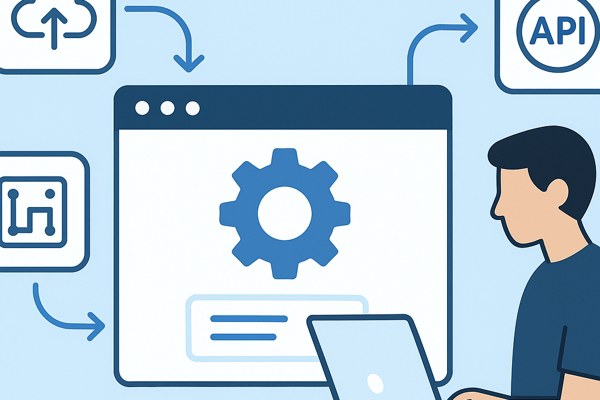
Pipedream is designed to make API integration accessible for everyone, regardless of technical expertise. At its core, Pipedream lets you connect APIs, automate workflows, and respond to events using a simple drag-and-drop interface or optional code snippets if needed.
- No-code and code control: While no coding is needed to get workflows running, you can customize and extend integrations using JavaScript or Python whenever you want.
- Free development environment: You can create and test integrations without paying or entering credit card details, enabling risk-free experimentation.
- Extensive connectors: Access over 3,000 prebuilt API connectors, triggers, and actions to quickly link services like Slack, Google Sheets, HubSpot, and more.
Simplifying Authentication and API Connections
One of the most challenging parts of connecting APIs is managing authentication. Pipedream’s “Connect” feature eliminates this pain point by handling OAuth flows, API keys, and token refreshes automatically, which is especially useful if you work with multiple services.
- Centralized credential management: Store credentials securely with encrypted storage scoped per project.
- OAuth support: Easily authenticate apps without manual token handling.
- Revocation and control: Revoke any stored account with a single API call to maintain security.
This leaves you free to focus on building your workflows without worrying about the technical complexity of managing access tokens or credentials.
Creating Workflows to Automate Tasks
Workflows in Pipedream are triggered by events from your apps—like receiving an email, a new row added to a spreadsheet, or form submission—and can automate multi-step processes with ease.
- Drag-and-drop editor: No-code users can visually build workflows by choosing triggers and connecting actions.
- Custom scripting: For advanced use cases, inject JavaScript or Python code to modify data or execute conditional logic.
- Prebuilt templates: Start quickly with hundreds of templates covering popular scenarios, such as syncing CRM data or posting alerts to Slack.
For example, a marketer could create a workflow that automatically adds new leads from a web form to a CRM system and sends a notification to the sales team—all without code.
Understanding Pipedream’s Pricing and Usage Model
Pipedream uses a usage-based pricing model tailored to different needs and scale:
- Free plan: Access full development features with no upfront cost and no credit card needed.
- Startup plan: At $99 per month billed monthly, or $150 billed annually, it unlocks the production environment and supports up to 100 external users with 10,000 usage credits per month.
- Business plan: Enterprise-grade features include advanced security (SSO, SCIM, HIPAA compliance), dedicated IPs, SLAs, and custom pricing.
Credits are consumed each time a workflow step executes, so more complex workflows with branching logic may use more credits. This usage-based model ensures you pay relative to your actual workflow activity.
Enhancing Security and Compliance
Pipedream offers robust security features to help businesses maintain control over sensitive data and compliance requirements:
- Encrypted credentials: All secrets are encrypted at rest and tied to specific projects.
- Role-based access control: Implement per-user permissions with audit trails, especially using the “Conduit” feature for secure access management.
- Enterprise compliance: On higher-tier plans, benefit from HIPAA compliance, SSO integration, and detailed access policies.
This makes Pipedream a viable option not just for startups but also for enterprises in regulated industries.
Checklist for Building Your First Pipedream Workflow
- Identify the apps or services you want to connect (e.g., CRM, email, spreadsheets).
- Create a Pipedream account and explore prebuilt connectors relevant to your use case.
- Use the visual workflow builder to set up triggers and actions without writing code.
- If needed, customize workflows with JavaScript or Python to add logic or data manipulation.
- Test your workflow in the free development environment to ensure it behaves as expected.
- Upgrade to the Startup plan for production usage and user collaboration when ready.
- Monitor your credit usage and optimize workflows to keep costs efficient.
Next Steps to Improve Your Automation Strategy
Pipedream’s combination of no-code simplicity and optional scripting flexibility makes it a powerful tool for anyone looking to automate repetitive tasks and integrate disparate services. Whether you’re a founder aiming to link CRM and marketing systems, a marketer automating lead workflows, or a builder enhancing productivity, Pipedream offers a practical way forward.
To dive deeper and start building your own workflows, visit Techzog’s Development section for additional guides and insights. For comprehensive documentation and pricing details, check out Pipedream’s official homepage at pipedream.com.
Starting with Pipedream now can unlock new levels of automation efficiency with minimal technical barriers—try it for free and see how connecting APIs without code can transform your daily workflows today.