








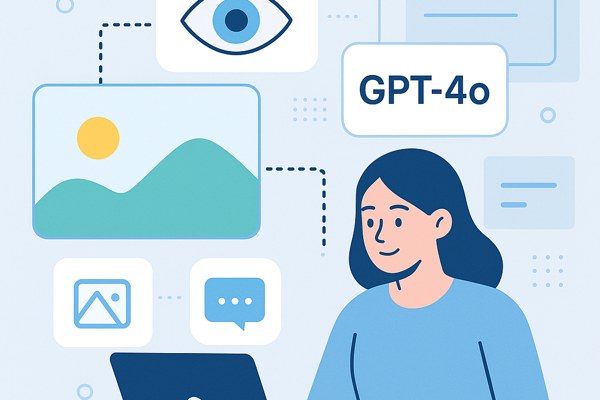
Integrating advanced vision capabilities into your applications can open new possibilities for user engagement, automation, and problem-solving. Leveraging multimodal tools that understand both images and text allows creators to develop innovative solutions such as visual search, enhanced content moderation, and intelligent image-based assistance. This guide walks you through using GPT-4o Vision, a powerful API offering text and image processing, to build smart image apps that deliver real-world value.
Understanding GPT-4o Vision’s Capabilities
GPT-4o Vision, launched by OpenAI in 2024, is designed to handle multiple input types including images alongside text and audio. It can process complex queries involving visual data and generate context-aware, natural language responses. Although GPT-4o has been succeeded by newer models like GPT-4.1 and GPT-5.1, it still remains available via the OpenAI API for specialized use cases.
Key features include:
- Multimodal inputs: Accept images plus text/audio for rich interaction
- Extended context window: Up to 128,000 tokens for in-depth conversations or processing
- Vision fine-tuning: Tailor the model’s image understanding for use cases such as medical image analysis and visual search
- Natural language output: Generate human-like explanations or responses related to the image content
This combination provides a foundation for building AI-powered applications that go beyond simple image recognition.
Practical Steps to Build Your First Image App Using GPT-4o Vision
Follow these actionable steps to integrate image understanding into your app:
- Access the API: Sign up for an API key at OpenAI’s developer platform (see official docs) and configure billing according to your usage.
- Prepare your image inputs: Use standard image formats like JPEG or PNG and convert them to base64 for API transmission.
- Craft your prompt: Combine the image data with a text prompt that clarifies what kind of analysis or interaction you want, e.g., “Describe the objects in this image” or “Identify any text present.”
- Make the API call: Send the combined inputs via API, specifying the GPT-4o Vision model.
- Process and display results: Parse the response text and feed it into your application’s UI for user-friendly presentation.
For example, a retail app could let customers upload photos of products and receive instant descriptions, pricing suggestions, or purchase options powered by image and text inputs.
Use Cases That Benefit from Multimodal Image Integration
GPT-4o Vision’s combination of visual and language understanding enables a variety of applications that non-developers and builders can leverage:
- Visual Search and Discovery: Users upload photos to find matching or related items quickly.
- Content Moderation: Automatically detect inappropriate or restricted imagery and provide actionable reports.
- Medical Imaging Analysis: Aid professionals by flagging anomalies or summarizing findings from scans.
- Accessibility Enhancements: Generate descriptive captions for images to help visually impaired users navigate content.
- Marketing and Social Media Tools: Analyze user-generated images for sentiment, branding consistency, or campaign tracking.
These use cases demonstrate how integrating visual intelligence can boost productivity and engagement.
Tips for Optimizing Performance and Costs

Working with multimodal APIs involves considerations around speed, accuracy, and budget:
- Use prompt engineering to provide clear context and instructions, reducing unnecessary token generation.
- Cache frequent inputs and responses to minimize repeated API calls and gain discounted input token rates.
- Leverage the fine-tuning options (if available) to train the model for niche image domains, improving accuracy.
- Test response quality with diverse image samples to ensure reliable behavior before deploying broadly.
- Monitor token consumption carefully since image inputs consume tokens rapidly; optimize image size and clarity for balanced costs.
Quick Checklist Before Launching Your App
- Obtain valid OpenAI API credentials aligned with your expected usage volume
- Design UI to accept, preview, and upload images efficiently
- Create prompts that clearly specify user intent and required outputs
- Implement error handling for image upload failures or unexpected responses
- Set up analytics to track feature engagement and API usage costs
- Ensure compliance with data privacy best practices, especially for sensitive image content
Next Steps to Expand Your Image App’s Capabilities
Once your initial MVP is operational, consider these enhancements:
- Integrate video processing by extending similar principles to sequential images or frames
- Add audio inputs for richer multimodal interaction, such as voice queries about images
- Explore the latest GPT models like GPT-4.1 or GPT-5.1 for improved accuracy and capabilities
- Combine with other services such as OCR or facial recognition for specialized functionalities
- Publish your app on targeted platforms such as mobile or web, optimizing user experience across devices
By harnessing these strategies and tools, builders, marketers, and product makers can create compelling, AI-powered image apps that stand out in today’s competitive landscape. For a deeper dive into API integration strategies and development guides, visit TechZog’s Development Hub to access tutorials tailored for creators at all levels.